

Account Management & Connected Applications
Manage profile details, login credentials, and OAuth grants for CLI and MCP clients.
Open the avatar menu in the top-right corner and select Account Profile. The page manages basic information, password, email, and connected applications.
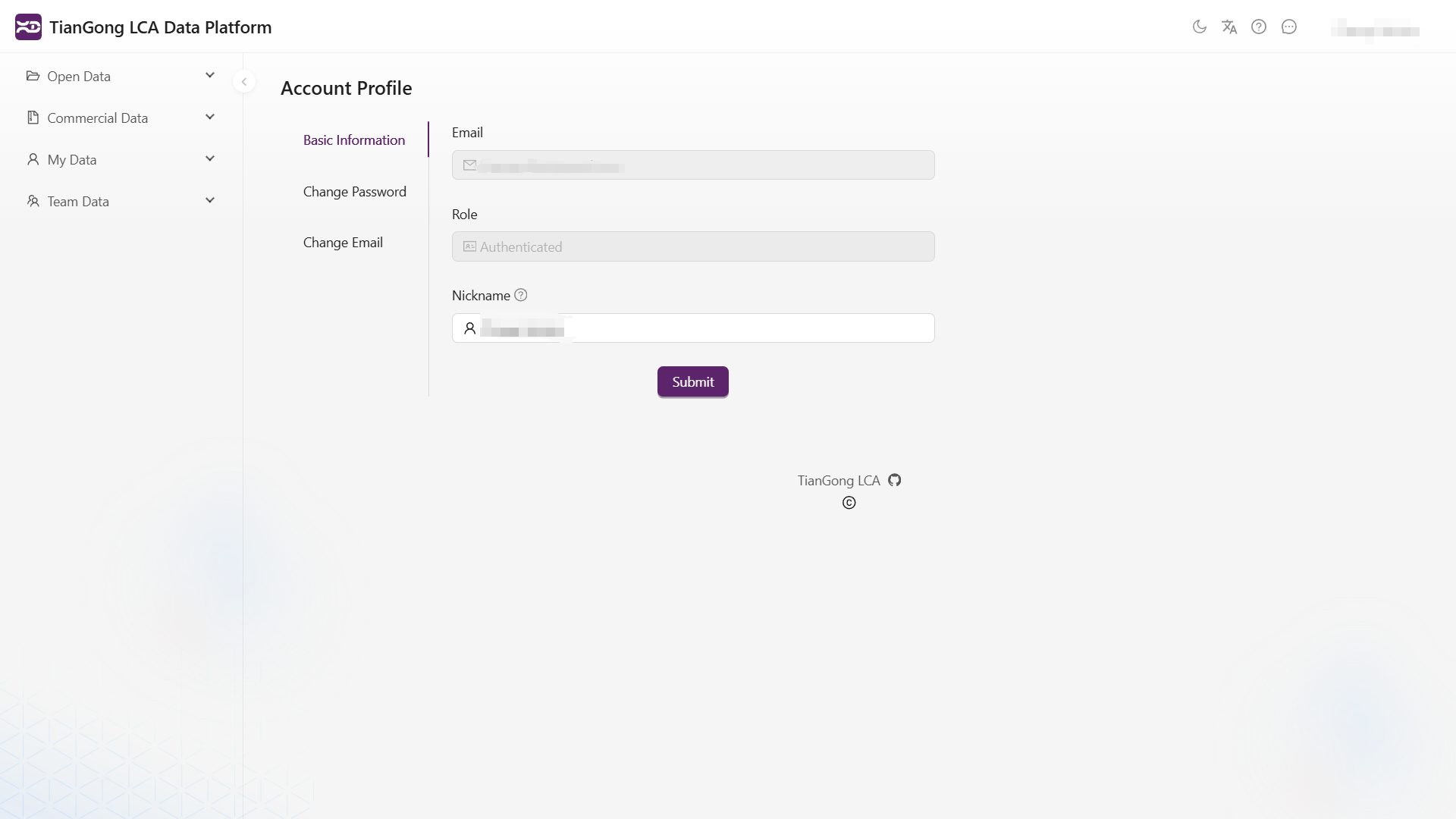
Basic information
View your current email, role, and nickname. Email and role are read-only identity fields; a saved nickname is reflected in the page header.
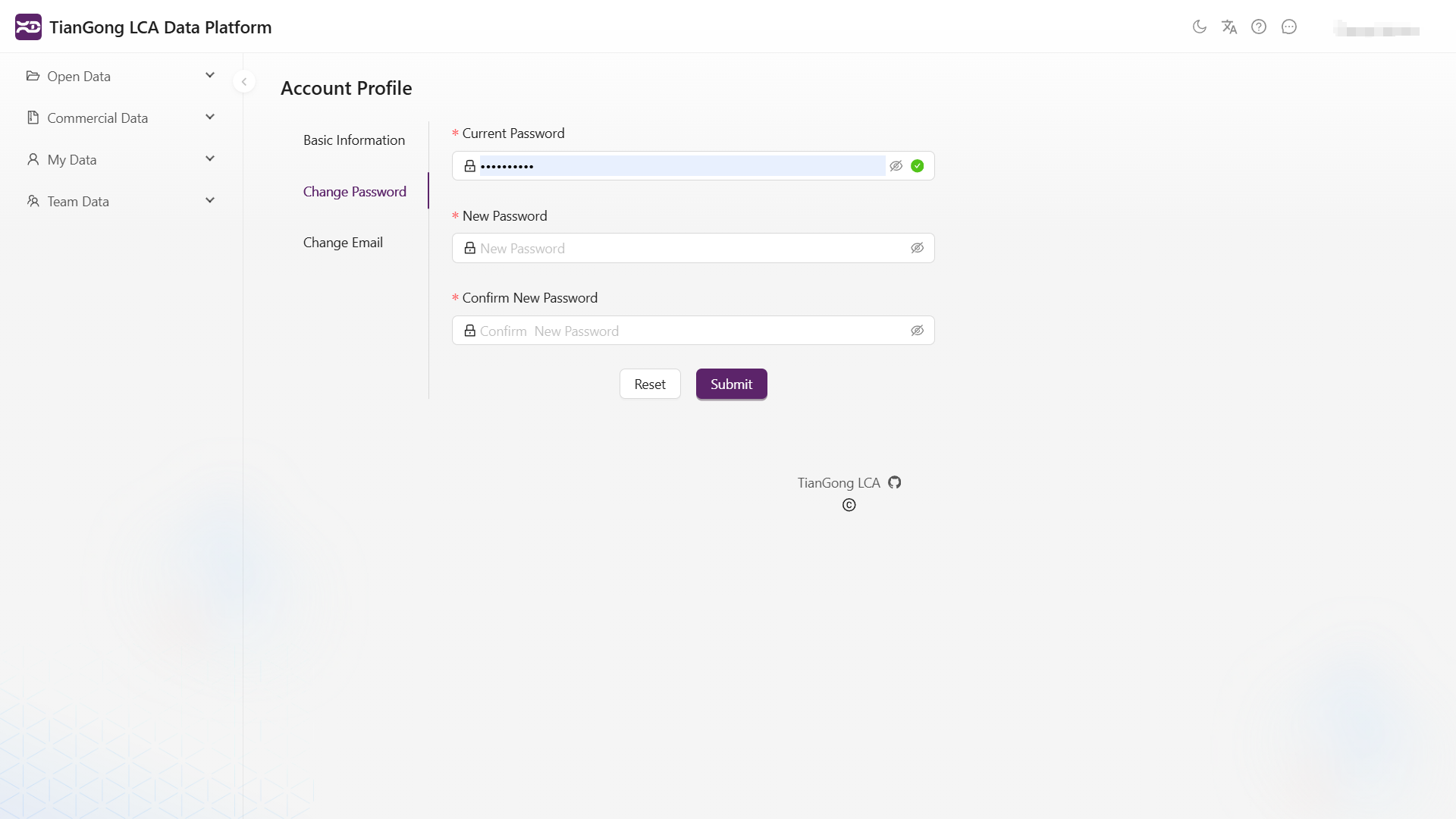
Change password
Enter the current password, new password, and confirmation. The new password must differ from the current one and satisfy the platform complexity policy.
The password is for platform sign-in only. Never store it in an AI tool, CLI, MCP client, automation script, ticket, or chat. CLI and remote MCP use browser OAuth and do not need the client to receive the password.
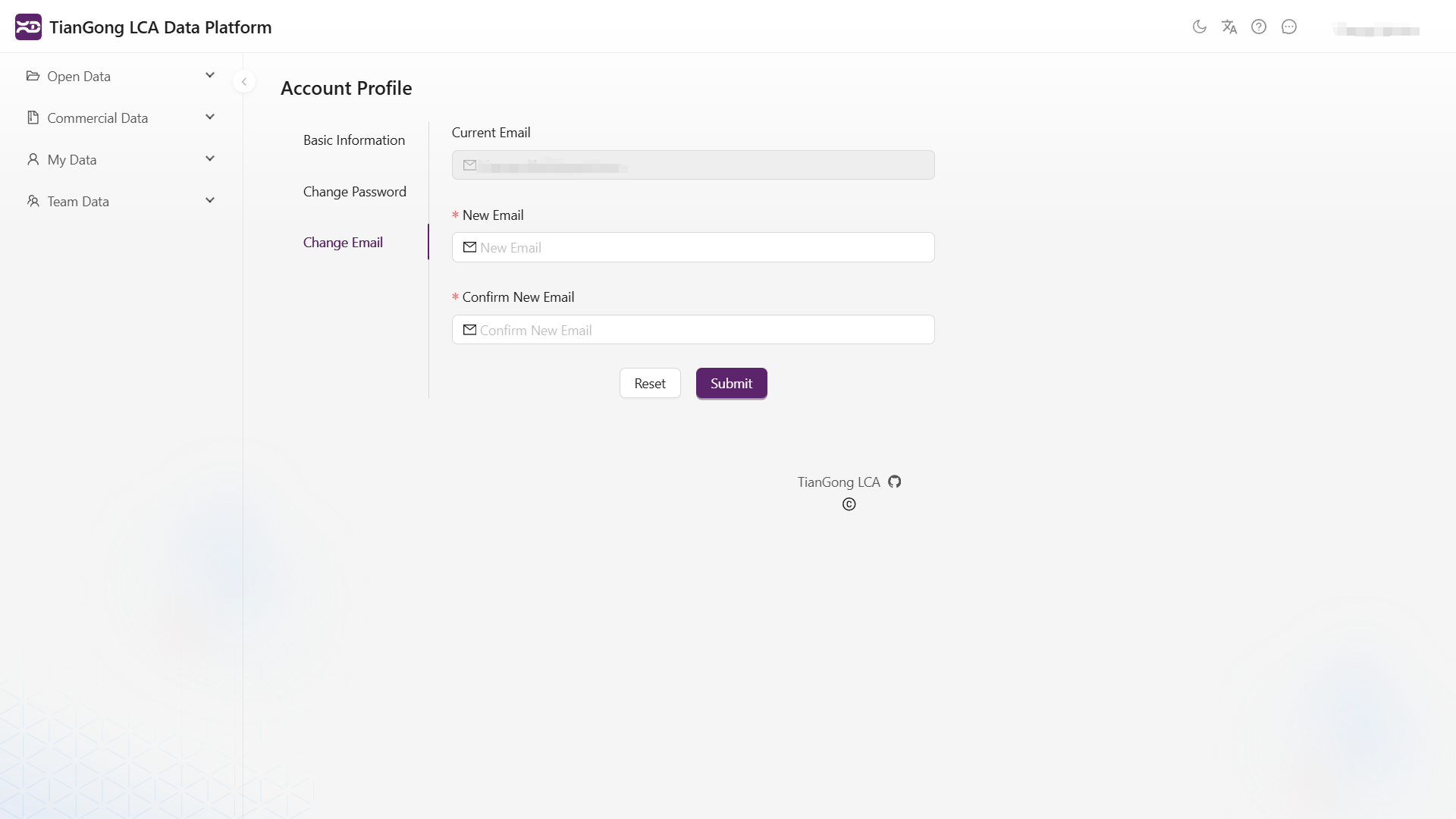
Change email
After submitting and confirming a new email address, the platform sends a verification message to it. Check both the inbox and notification center until verification completes. Existing clients may need to sign in again after an email change.
Connected applications
After the CLI or remote MCP is authorized in the browser for the first time, it appears under Connected applications. Each item shows the application, authorization time, and available action.
- Confirm the current account and application name on the consent page before allowing access.
- Revoking an application immediately deletes its Supabase grant and prevents future refreshes.
- An already issued short-lived access token can remain valid until expiry; sensitive endpoints follow their own online-validation contract.
- After revocation, the client must start browser authorization again. Run
pnpm dlx --package=@tiangong-lca/cli@0.1.8 tiangong-lca auth loginfor the CLI or reconnect the MCP host. - CLI
auth logoutor a local MCP disconnect removes only local state; it is not account-side revocation.
CLI, MCP, and automation
- TianGong CLI uses a public OAuth client, S256 PKCE, and an exact
127.0.0.1callback. - TianGong LCA MCP - Remote uses MCP discovery and browser consent; the user never copies a code or token.
- Supabase OAuth supports neither password nor client-credentials grants. Headless work needs a human-authorized refresh session, an orchestrator-injected short-lived actor token, or a separately reviewed service capability.
Never give an AI or external tool a password, authorization code, access token, or refresh token. External integrations use registered OAuth clients, with grants managed under Connected applications.